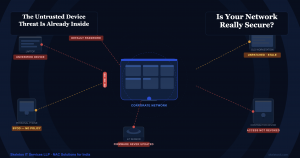

“We Already Have a Firewall. Why Do We Need NAC?” — I Hear This Every Week. Here Is My Honest Answer
Almost every week, I sit across from an IT head or a CTO in a BFSI company, a manufacturer, or an NBFC — and within 10 minutes, I hear some version of the same sentence.
I genuinely respect that response. It comes from people who have done their job well — they have invested in the right tools, built real policies, and thought seriously about security. They are not being careless. They are asking a fair question.
So here is my honest, no-sales-pitch answer.
Let me start with what actually happened at a client last year
I visited a mid-size manufacturing company in Pune. Strong IT team. Good firewall — properly configured, regularly updated. Endpoint security on all Windows machines. A DLP solution watches outbound data. Guest Wi-Fi is properly separated from the main network. On paper, very solid.
Then I asked one question: “Can you show me a list of every device currently connected to your network?”
There was a pause.
After some back and forth, we ran a scan. They expected about 280 devices. We found 431. The extras included three contractor laptops from a project that finished seven months ago — still connected, never offboarded. Two IP cameras were installed by the facilities team that IT had never logged. A personal NAS drive was plugged into a switch in the accounts department. And a Raspberry Pi in the R&D lab that an engineer set up for a side project.
None of those devices had endpoint security. None were covered by DLP. The firewall had no idea they existed. They were just… there. Quietly. On the inside of every security control that this company had built.
| This is the gap that NAC fills.
Not instead of your firewall. Not instead of your endpoint or DLP. Those tools are still doing their job. NAC answers the one question none of them can answer: what is actually on my network right now, and should it be here? |
What your firewall does — and what it cannot see
Your firewall sits at the boundary of your network. Its job is to control what traffic comes in from the internet and what goes out. It is very good at that. A properly configured firewall will block most external attacks, filter bad traffic, and enforce rules between network zones.
But the firewall has a fundamental blind spot.
It cannot see what connects inside your network at the access layer — the switches and wireless access points where devices physically join. A device that walks through your office door, plugs into a network port, or connects to your Wi-Fi is already inside by the time the firewall sees any traffic from it. At that point, the firewall treats it the same as any other internal device.
| Simple way to think about it:
The firewall is the security guard at your building’s main entrance. NAC is the security check inside every corridor, every room, every floor. The entrance guard stops outsiders. The corridor check stops insiders who should not be where they are. |
So when a contractor’s unmanaged laptop connects to your office switch, the firewall lets the traffic through, because the traffic looks normal. The DLP watches what data leaves — but it has no agent on that unmanaged laptop. The endpoint security is not installed on it. Nobody knows it is there.
What about Guest Management in the firewall?
This is the second thing I hear often. “We have guest management configured on our firewall — guests go on a separate VLAN, can only access the internet, cannot reach internal systems.”
That is good. Genuinely. But it only works for devices that use the guest network.
What about the contractor who asks your IT person to “just add me to the corporate Wi-Fi so I can reach the shared drive”? That is done with good intentions. But now that the contractor’s unvetted personal laptop is on your corporate network. Not the guest network. The corporate one.
What about the employee who brings their personal phone and connects it to the corporate Wi-Fi instead of the guest Wi-Fi because the guest Wi-Fi is slower? It happens in every office, every day.
What about the smart TV in the boardroom that IT connected to the main network three years ago for screen-sharing, and nobody ever moved it to an isolated segment?
Guest management in your firewall handles the devices that go through the front door politely. NAC handles everything else — including the devices that sneak in through side doors.
What about Endpoint Security — surely that catches everything?
Endpoint security — your EDR or antivirus — is powerful. It monitors the devices that have the agent installed. It catches malware, suspicious behaviour, and policy violations on those managed machines.
But it only works on managed devices.
Your endpoint agent is not on your contractor’s personal laptop. It is not on a visitor’s phone. It is not on a Raspberry Pi that someone plugged in. It is not on your IP cameras, your smart printers, your HVAC controllers, your access badge readers. None of those devices can run an endpoint agent. They are completely invisible to your EDR solution.
And here is the uncomfortable truth that most IT teams know but do not often say out loud:
In many environments, 30 to 50 percent of devices on the network are unmanaged. No endpoint agent. No visibility. No control.
NAC does not replace your endpoint security. It covers the gap that endpoint security cannot reach — agentless, unmanaged, and unknown devices.
What about DLP?
DLP — Data Loss Prevention — watches what data leaves your organisation. It monitors outbound email, file transfers, and cloud uploads. It is a critical tool for preventing intentional and accidental data leaks.
But DLP works at the data layer. It acts after a device is already inside your network and is already accessing data. By the time DLP sees a suspicious transfer, the device causing it has already had full access to your internal systems for however long it has been sitting there.
DLP tells you something bad is happening. NAC stops the bad device from getting into position in the first place.
Think of it like this. DLP is the alarm that goes off when someone starts taking things out of your warehouse. NAC is the access control system that stops unauthorised people from entering the warehouse at all.
So what exactly does NAC do that nothing else does?
Here is what NAC adds that your existing stack cannot provide:
- It sees every device — managed or not. Before anything else, NAC discovers and profiles everything that connects to your network. Every laptop, phone, printer, IoT device, IP camera, contractor machine, rogue device. You finally have a true picture of what is actually on your network, not just what should be.
- It checks the device before letting it in. NAC runs a posture check — is this device compliant? Does it have antivirus running? Is the OS patched? Is it a known, registered device? If not, it goes to a restricted zone or gets blocked. This happens at the access layer, before any traffic reaches your internal systems.
- It enforces role-based access automatically. A contractor gets access to exactly the folders and systems they need — nothing else. An IoT device gets access to its specific function — no lateral movement possible. An employee’s personal phone gets internet access via a separate segment, not the same network as your finance server. This segmentation happens dynamically, based on who and what the device is.
- It responds automatically when something goes wrong. When a device starts behaving strangely — unusual login times, unexpected data transfers, scanning other devices — NAC quarantines it immediately. Not after someone reviews a report the next morning. In seconds. Automatically. Without waiting for a human.
- It gives you the logs you need for compliance. Under CERT-In rules, you must maintain access logs for 180 days and report incidents within 6 hours. NAC generates exactly these logs — every device, every connection, every policy decision — automatically. When an auditor asks, the evidence is already there.
The honest answer to “we already have enough.”
Your firewall protects your perimeter. Your endpoint security protects your managed machines. Your DLP protects your data at the point of exit. Your guest management keeps casual visitors in a safe lane.
None of them answer the question: what is connecting right now that was not here yesterday, is not in any inventory, has no security controls on it, and is sitting quietly inside all your other defences?
That is the question NAC answers. And in my experience, visiting companies across India — BFSI, NBFCs, manufacturers, payment companies — that question almost always has a longer and more uncomfortable answer than anyone expected.
NAC does not replace any tool you have. It completes the picture.
Read more about selecting the right NAC here
The Password That Opened the Wrong Door — A Lesson Every Organisation Must Learn